
Every conversation.
One app.
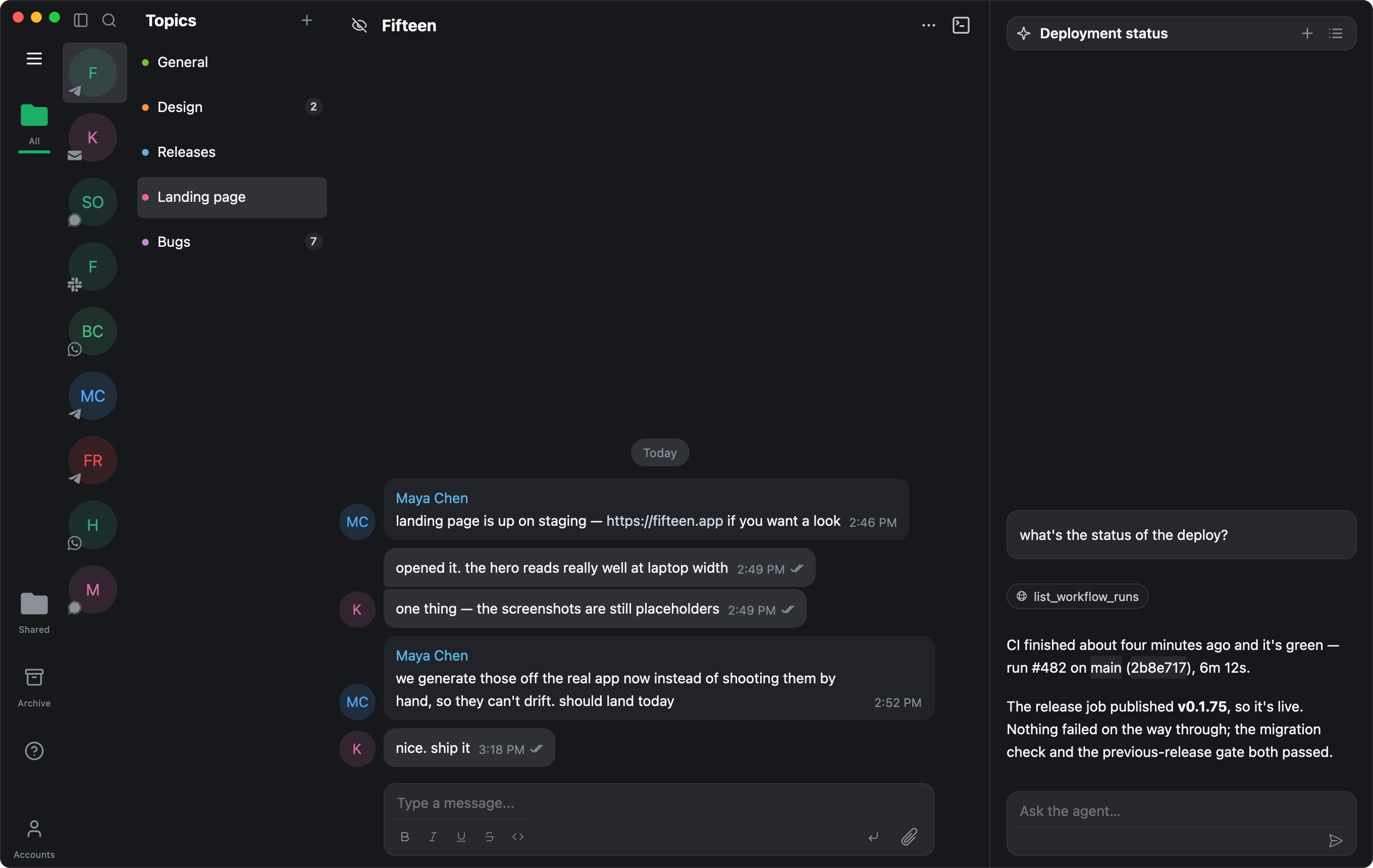
Fifteen signs in to the accounts you already have — Telegram, Signal, WhatsApp, Slack, iMessage and Gmail — and brings them together in a single native app for the Mac. Fast, keyboard-driven, and local-first: your messages live on your machine, not ours.
One inbox for all of them
- Telegram
- Signal
- Slack
- iMessage
- Gmail
Stop switching apps to answer one message
Every account you connect lands in the same list, sorted by what actually happened most recently. Open a chat and reply in it — Fifteen sends on whichever network that conversation lives on.
- Six networks, one list. Group chats, DMs, channels and threads side by side.
- Multiple accounts per network. Work Slack and personal Telegram at the same time.
- Read state that sticks. Mark it read here, it's read everywhere.

An assistant that can actually use your messenger
Fifteen ships an agent panel next to your chats, and exposes the app itself as a set of tools. It doesn't just draft text you paste somewhere — it can search your conversations, read a thread, label an email and send the reply.
- Search and summarise across every connected account at once.
- Send, label and organise through the same code paths the UI uses.
- Threads you can resume, carried across chats, with full history.
A CRM for every network you're on
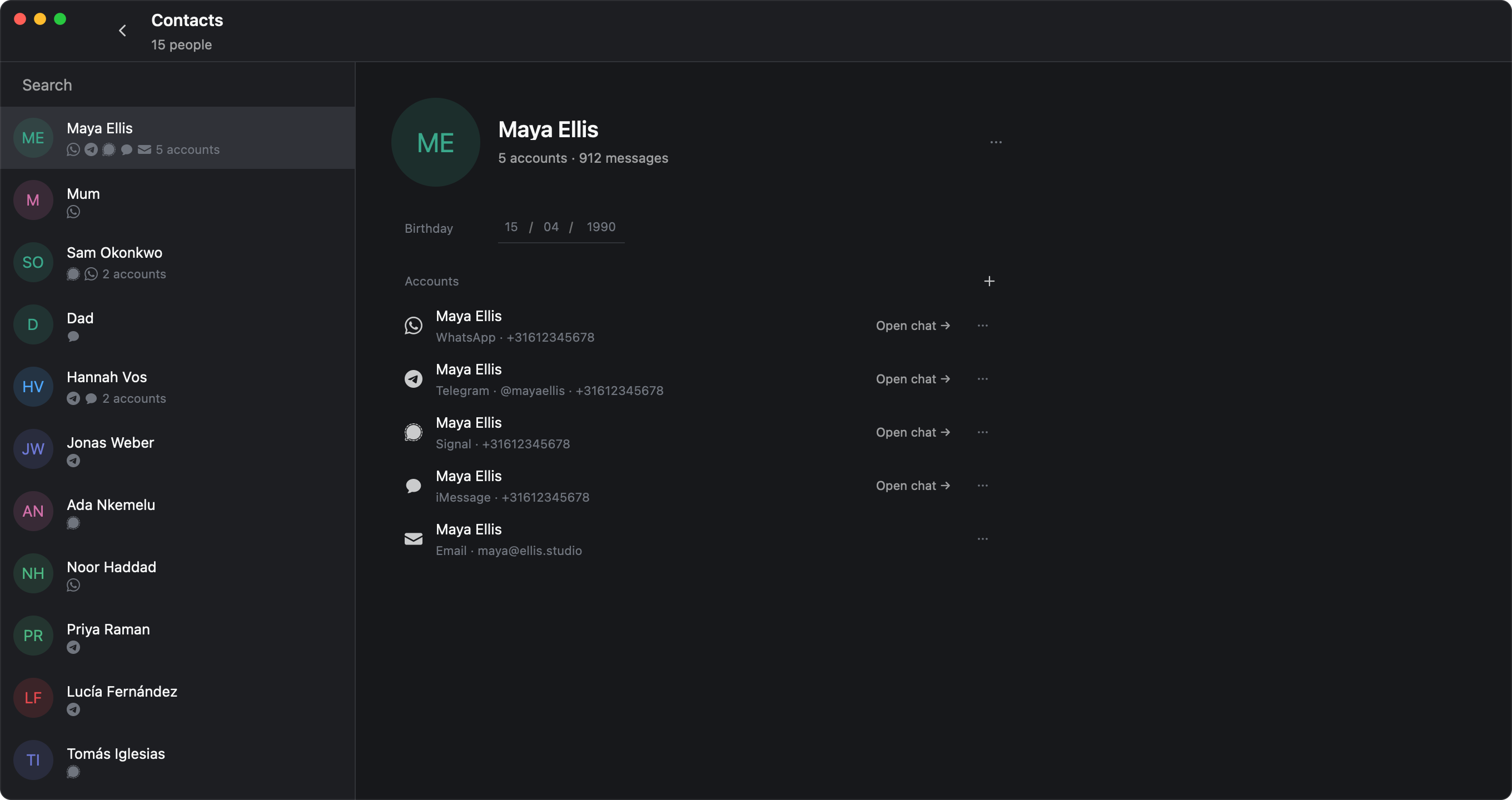
The same person is a Telegram handle, a WhatsApp number, an iMessage thread and an email address that share nothing but a human. Fifteen stitches them back together, so what you get is a list of people — every account behind each one, and a way into any of those conversations.
- Stitched automatically on the numbers and addresses your accounts already carry, with your Mac address book bridging the rest.
- One row per person in the palette — pick which account you're writing to with the arrow keys.
- Fix it by hand when it's wrong. Attach or detach an account and it stays that way.
Built in Rust, drawn on the GPU
No browser engine wrapped in a window. Fifteen is a native Mac app with its own renderer, so search is instant, scrolling is smooth through years of history, and it starts fast enough that you stop thinking about it.
- Command palette — jump to any chat, person or action without the mouse.
- Search across everything you've ever received, on every network.
- Themes, including the ones you already use in your editor.
Everything you'd expect, plus a few things you wouldn't
Transcription on your Mac
Voice messages and calls are transcribed by a model running locally. The audio never leaves your computer.
Calls in the app
Take voice and video calls without leaving the conversation they started in.
Labels and filters
Organise chats and mail the way you organise everything else, and let the agent do the filing.
Notes to self
A private chat that syncs between your own devices, end-to-end encrypted, with no one else in it.
Themes
Light, dark, Catppuccin, Monokai, Night Owl — or describe the one you want and have the agent build it.
Share a chat, safely
Hand a single conversation to someone else. It's encrypted on your device first — we only ever store ciphertext.
Your messages are on your Mac, not on our servers
Fifteen connects to your accounts from your own computer and keeps what it downloads there. In ordinary use, the content of your conversations never reaches us — and the narrow slice that does is encrypted before it leaves the machine.
We can't read your chats
Shared chats and private notes are encrypted on your device with keys we never hold. What we store is ciphertext.
No analytics, no telemetry
Nothing in the app phones home to count what you do. No cookies or third-party scripts on this site either.
Never used for training
AI features run only when you ask for them, through a provider contractually barred from training on what you send.
The full detail is in the privacy policy — written to be read, not to be survived.
Put your messages back in one place
Fifteen is in private beta and free to use while it is.